
POS Integration Guide
This guide is for the developer who connects a point-of-sale system to the Listrak Converse Stores & Loyalty Center: a POS partner building an app for its marketplace, or a brand's own team wiring its register software. It walks through a visit at the register, shows each call the register makes with a real request and answer, and explains how your system tells Converse what happened after the sale.
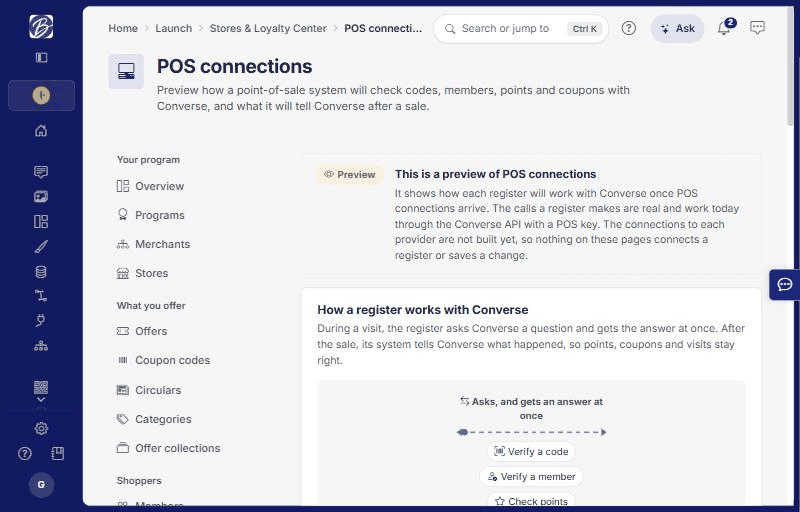
Status (2026-11-06). The calls in this guide are live today: every one is a Converse door you can call now with a POS key, and the examples are the doors' own shapes. Claim a deal is coming - deals are bought, never handed out, and buying a deal arrives with the deals release. The provider connections themselves (a Square app, a Toast integration and so on) are not built yet: the Portal's POS connections page (
/loyalty/pos) is a preview of how each one will work, and the event mapping in the second half of this guide is that preview's design, not a shipped feature.
The reference for every loyalty door is Loyalty API developer sign-in; the internals are
docs/claude/LOYALTY.md (section 4 for the doors, 5.7 for the preview).
Before you call
- Address.
https://api.rcsbuilder.com- every loyalty door is aPOSTto/api/v1/loyalty/...with a JSON body. JSON is camelCase both ways and every date is UTC with a trailingZ. - The POS key. Every call carries
Authorization: Bearer <key>. A register uses a POS key: an API key that holds the Store redeemer role and nothing else, made on the Portal's API Keys page. Only a POS key moves value over REST - a key with any other role is refused403 key-not-for-valuewhen it tries to redeem, void or mark used. An AI agent never moves value (403 machine-never-moves-value), whatever key it holds. - Loyalty must be switched on. A workspace turns the Stores & Loyalty Center on with the Loyalty skill. While it is off,
every read answers
moduleOn: falsewith an empty result and every write answers409 loyalty-off. Your first call should bePOST /api/v1/loyalty/status, which says whether it is on, which programs run and what your key reaches. - Refusals are
{ "error": "<stable word>", "message": "<a sentence>" }with the HTTP status. Program against theerrorword, never the sentence. - Look-ups are rate-limited per caller - an integration's key 600 a minute (
429 slow-down).
A visit at the register
- The shopper shows their member card, a coupon on their phone or a printed code, or gives their phone number.
- The register verifies the member and sees what they can use at this store - or verifies the code it scanned.
- The clerk asks for the balance: the register checks points.
- Before taking anything off, the register verifies the coupon against the basket. Nothing is written.
- The register adjudicates the coupon: it redeems it exactly once (Converse works out the discount), or records a discount it already applied itself. A redemption made in error is undone.
- After the sale, your system tells Converse what happened - the order completed, a refund, a voided order - so points and coupons stay right.
The six calls
| Call | Converse door | MCP tool | Who may make it | Status |
|---|---|---|---|---|
| Verify a code | POST /api/v1/loyalty/codes/get |
get_loyalty_code |
Store redeemer or Loyalty manager | Live today |
| Verify a member | POST /api/v1/loyalty/members/get, POST /api/v1/loyalty/redemptions/lookup |
get_loyalty_member, lookup_loyalty_wallet |
Store redeemer or Loyalty manager | Live today |
| Check points | POST /api/v1/loyalty/members/state |
get_loyalty_member_state |
Store redeemer or Loyalty manager | Live today |
| Verify a coupon | POST /api/v1/loyalty/redemptions/check |
check_loyalty_redemption |
Store redeemer or Loyalty manager | Live today |
| Adjudicate a coupon | POST /api/v1/loyalty/redemptions/redeem, .../redemptions/void, .../redemptions/mark-used |
redeem_loyalty_item, void_loyalty_redemption, mark_loyalty_item_used |
A POS key (Store redeemer), a person, or the store's paired device - never an AI agent | Live today |
| Claim a deal | Arrives with deals | - | Decided when deals arrive | Coming |
The MCP tool is the same door for an AI agent working on the program (the copilot, or any client of the Converse MCP server). It reads and checks; it never redeems, voids or marks used.
1. Verify a code
The register scans or types a coupon code and learns what it is.
POST /api/v1/loyalty/codes/get
{ "code": "SAVE10-7QK2" }

200 { "moduleOn": true,
      "code": { "codeId": 5512, "poolId": 14, "poolKind": "generated", "symbology": "code128", "offerId": 31,
                "value": "SAVE10-7QK2", "status": "issued", "walletItemId": 301, ... } }
A QR or Code 128 code matches exactly; other symbologies also match in their normalised form. A code of an offer your key does not
reach answers 404 code-not-found, exactly as a code that does not exist.
2. Verify a member
Find the member by their number - or by phone with the program - and, in the same visit, what they can use at this store.
POST /api/v1/loyalty/members/get
{ "memberNumber": "400123456" }

200 { "moduleOn": true,
      "member": { "memberId": 41, "programId": 1, "memberNumber": "400123456", "firstName": "Dana", "status": "active",
                  "trimmed": true, ... } }
POST /api/v1/loyalty/redemptions/lookup
{ "memberNumber": "400123456", "storeId": 7 }

200 { "moduleOn": true, "found": true, "storeId": 7, "member": { ... },
      "items": [ { "walletItemId": 301, "offerId": 31, "verdict": { "eligible": true, ... } } ] }
redemptions/lookup also takes a scanned code, a signed coupon qr or a walletItemId. A member card a shopper keeps in Apple
Wallet or Google Wallet carries the member number as its barcode, so a register that scans it sends memberNumber. At the register a member is
trimmed: you see the number, the first name, the status, the tier and the balance - never the phone, the email, the last name
or the birthday. Name the member by memberNumber or phone + programId; a bare memberId from a register is refused
403 name-the-member.
3. Check points
POST /api/v1/loyalty/members/state
{ "memberNumber": "400123456" }

200 { "moduleOn": true,
      "state": { "memberId": 41, "programId": 1, "pointsBalance": 1250, "lifetimePoints": 4100, "visits": 18,
                 "tier": { "tierId": 2, "name": "Gold", "rank": 2 },
                 "progress": { "measure": "lifetimePoints", "next": "platinum", "toNext": 900, "words": "..." } } }
4. Verify a coupon
Ask whether this coupon applies here, now and to this basket, and what it is worth. Nothing is written.
POST /api/v1/loyalty/redemptions/check
{ "walletItemId": 301, "storeId": 7, "registerCode": "K7Q2-91",
  "basket": { "totalMinor": 4599, "currency": "USD" } }

200 { "moduleOn": true, "walletItemId": 301, "offerId": 31, "storeId": 7, "usable": true,
      "verdict": { "eligible": true, "needsConfirmation": false, "reasons": [ ... ],
                   "discountMinor": 920, "currency": "USD", ... } }
- Send the basket, with its currency. A condition the basket decides (a minimum spend, a category) cannot be judged without
it, and the answer says
needsConfirmation: true. Amounts are in minor units (cents). - Presence is proved, never said. Send the register's rotating
registerCodeto prove the member is at this checkout. The only presence you may simply state is"presence": "claimed".
5. Adjudicate a coupon - redeem, record, undo
Redeem - exactly once, by idempotency key:
POST /api/v1/loyalty/redemptions/redeem
{ "idempotencyKey": "square-store7-r3-000182", "walletItemId": 301, "storeId": 7, "method": "scan",
  "basket": { "totalMinor": 4599, "currency": "USD" }, "registerCode": "K7Q2-91", "receiptRef": "000182" }

200 { "moduleOn": true, "redeemed": true, "replayed": false, "redemptionId": 9001, "discountMinor": 920, "currency": "USD",
      "verdict": { ... }, "points": [ ... ], "notes": [ ... ] }
Record a discount the register already applied - your system gave the discount itself and tells Converse:
POST /api/v1/loyalty/redemptions/mark-used
{ "idempotencyKey": "square-store7-r3-000183", "code": "SAVE10-7QK2", "storeId": 7, "method": "pos",
  "basket": { "totalMinor": 2999, "currency": "USD" }, "discountMinor": 300, "currency": "USD", "receiptRef": "000183" }
Undo - by reversal, never a delete:
POST /api/v1/loyalty/redemptions/void
{ "redemptionId": 9001, "reason": "Rang up twice", "restoreItem": true }

200 { "moduleOn": true, "voided": true, "redemptionId": 9001, "restoredItem": true, "pointsReversed": [ ... ], "notes": [ ... ] }
A void reverses exactly the points the redemption wrote and, with restoreItem: true, gives the coupon back. A paired register
device undoes only its own redemptions within 10 minutes; a store's admin may undo one at any time.
Idempotency keys
- One key per redemption, the same key on every retry. A retry answers the first redemption (
replayed: true) and nothing is redeemed twice or earns points twice - even after the register code has rotated. - Keys are shared across the workspace. Begin each with the register's own name - the provider, the store and the register -
then the receipt number:
square-store7-r3-000182. A key another register already used is refused409 idempotency-key-reused. - At most 100 characters, and never a vertical bar.
When the answer is a refusal
| HTTP | error |
What to do at the register |
|---|---|---|
| 409 | not-eligible |
The coupon does not apply - show the verdict's reasons (in detail). |
| 409 | needs-confirmation |
The basket could not decide it - the clerk checks, then send "confirmed": true. |
| 409 | offer-not-running |
The offer is paused, ended or retired - a use already given is still recorded with mark-used. |
| 409 | idempotency-key-reused |
That key recorded a different redemption - send a fresh key for a new one. |
| 409 | presence-not-proved |
Nothing sent proves the member is here - send the register code. |
| 409 | not-enough-points |
A reward costs more points than the member holds. |
| 400 | currency-required |
An amount with no currency - send the basket's. |
| 403 | key-not-for-value |
Your key holds more than Store redeemer - make a POS key. |
| 429 | slow-down |
Too many look-ups this minute - wait and try again. |
| 500 | points-not-given-back |
Retry with the SAME key. |
A gift certificate is tender. Apply it after any discounts. Look its code up as you would any code: the answer is
found: "giftCertificate" with the certificate's own facts - walletItemId, status, statusWords, balanceMinor, currency and
reference - and presentedBy: "bearer" when the code was scanned or typed. It names no member, because whoever holds the code spends
it. Redeem it with amountToTakeMinor (at most the balance; leave it out to take the smaller of the basket's total and the balance):
POST /api/v1/loyalty/redemptions/redeem
{ "idempotencyKey": "square-store7-r3-000183", "code": "7Q2K9M4X8B3T6W1", "storeId": 7, "method": "scan",
  "amountToTakeMinor": 2500, "receiptRef": "000183" }
The answer adds balanceLeftMinor and balanceLeftWords, writes no points (the notes say presentedByBearer and
giftCertificateEarnsNoPoints), and the redemption records the amount drawn as stored value, never as a discount. Undo works as for
any redemption: the amount goes back onto the certificate. A certificate that was passed on, refunded or spent in full is refused before
anything moves.
6. Claim a deal - coming
A deal is a voucher the member buys (a GroupOn-style offer). The register will sell it and put the voucher in the member's
wallet. Today a deal cannot be granted or clipped (409 deal-needs-purchase); the purchase and its door arrive with the deals
release, and this guide will show it then.
What your system tells Converse - a preview
After the sale, your system sends Converse an event. In the connected design, each POS registration gets its own inbound webhook address on the workspace:
https://api.rcsbuilder.com/api/v1/inbound/{tenantId}/{endpointKey}
Converse makes the endpointKey when the registration is real and checks the signature of every delivery - the signing schemes,
the dedupe and the replay rules are the inbound door's, documented in Inbound webhooks developer sign-in.
Converse does one thing with each event. The suggested mapping is below; on the Portal's provider page a Loyalty manager can
try a different action for each event in place (those changes are not saved - it is a preview).
The event names are illustrative, in plain words: each provider names and shapes its own events, and the connection maps them.
| When your system says | Converse does | Through |
|---|---|---|
| Customer identified at the register (a restaurant: guest identified at the table) | Look up the member's wallet | POST /api/v1/loyalty/redemptions/lookup |
| Discount applied | Mark the coupon used | POST /api/v1/loyalty/redemptions/mark-used |
| Order completed (a restaurant: check closed) | Award points for the purchase | POST /api/v1/loyalty/points/append (reason purchase, priced from basketTotalMinor + currency) |
| Refund issued | Give the points back | POST /api/v1/loyalty/points/append (reason reversal, with the signed points to take back) |
| Order voided (a restaurant: check voided) | Undo the redemption | POST /api/v1/loyalty/redemptions/void |
| Customer checked in at the store | Record a visit | POST /api/v1/loyalty/checkins/record |
| Deal voucher sold | Claim a deal | Coming with deals |
Until the connections ship, your system can make these same calls itself: the register's calls with its POS key, and the after-sale calls (points and visits) with a sync key - an API key that holds Loyalty manager and nothing else.
What a registration will record
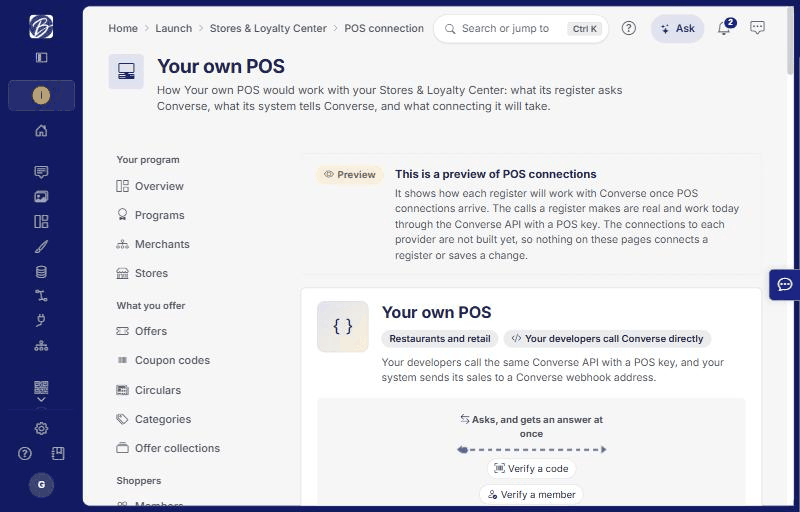
When POS connections arrive, registering a provider in the Portal will record:
- The stores it covers - every store, or the ones its registers sit in.
- Its POS key - Store redeemer, and no other role.
- Its webhook address - the inbound address above, with its own key and signing secret.
- How its idempotency keys are written - the provider, the store and the register first.
Today Register on the provider page opens a message that says this is a preview; nothing is connected and nothing is saved.
Live and coming at a glance
| Status | |
|---|---|
| Verify a code, verify a member, check points, verify a coupon | Live today |
| Redeem, record a discount already given, undo a redemption | Live today |
Points and visits from your own system (points/append, checkins/record) |
Live today |
Hear each redemption and void as it lands (loyalty.redeemed, loyalty.voided, at a callback the brand registers) |
Live today - the picture |
| Claim a deal | Coming - with deals |
| Provider connections (apps, partner integrations) and the registration | Coming - the Portal shows a preview |
| The event mapping from a provider's webhook to Converse's action | Coming - the Portal shows a preview |