
Loyalty system diagrams - the Stores & Loyalty Center in nine pictures
Who this is for. Anyone who wants to see how the Stores & Loyalty Center fits together before reading the details: the people who run a program, the store teams who show it to shoppers, the partners who connect a register, a club or a website, and the sales and solutions people who explain it. Each picture has a few sentences beside it and a link to the document that tells the rest. Every store, shopper and code in the pictures is made up. In the Portal, select Diagrams at the top of the Loyalty Center's overview to open these pictures, or Download the guides to take every Stores & Loyalty guide as a PDF.
The system at a glance
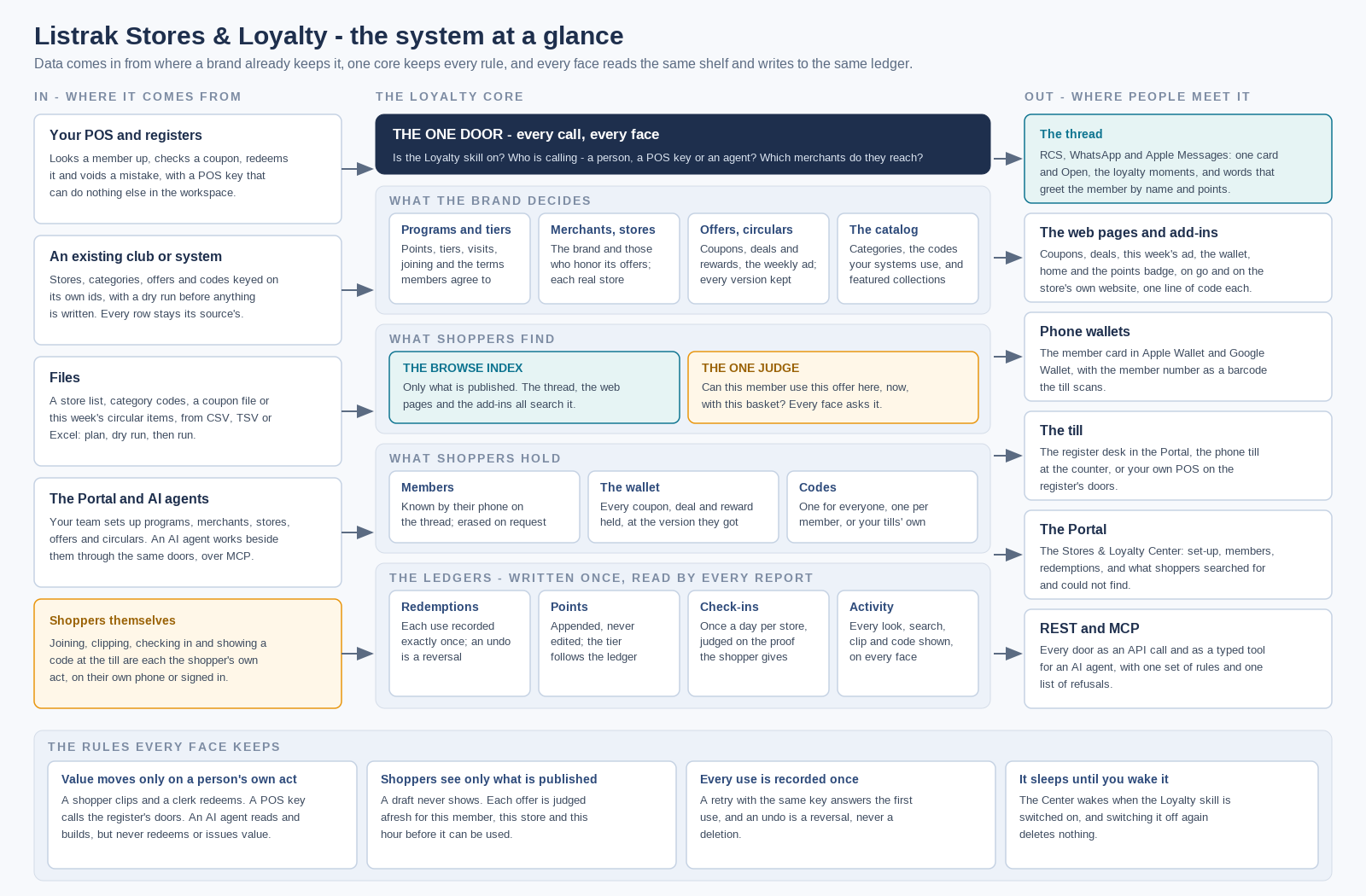
Data comes in from where a brand already keeps it: its registers, an existing club, a spreadsheet, its own team in the Portal and the shoppers themselves. One core holds the programs, merchants, stores, offers, circulars, members, wallets and ledgers, and every call passes the same door, which checks that the Loyalty skill is on, who is calling and which merchants they reach. Every face reads the same published shelf, asks the same judge whether an offer can be used, and writes to the same ledger, so a clip on the thread is in the wallet on the website and at the till.
Read next: the Stores & Loyalty Center guide and the Loyalty API developer sign-in.
A member's day at the store
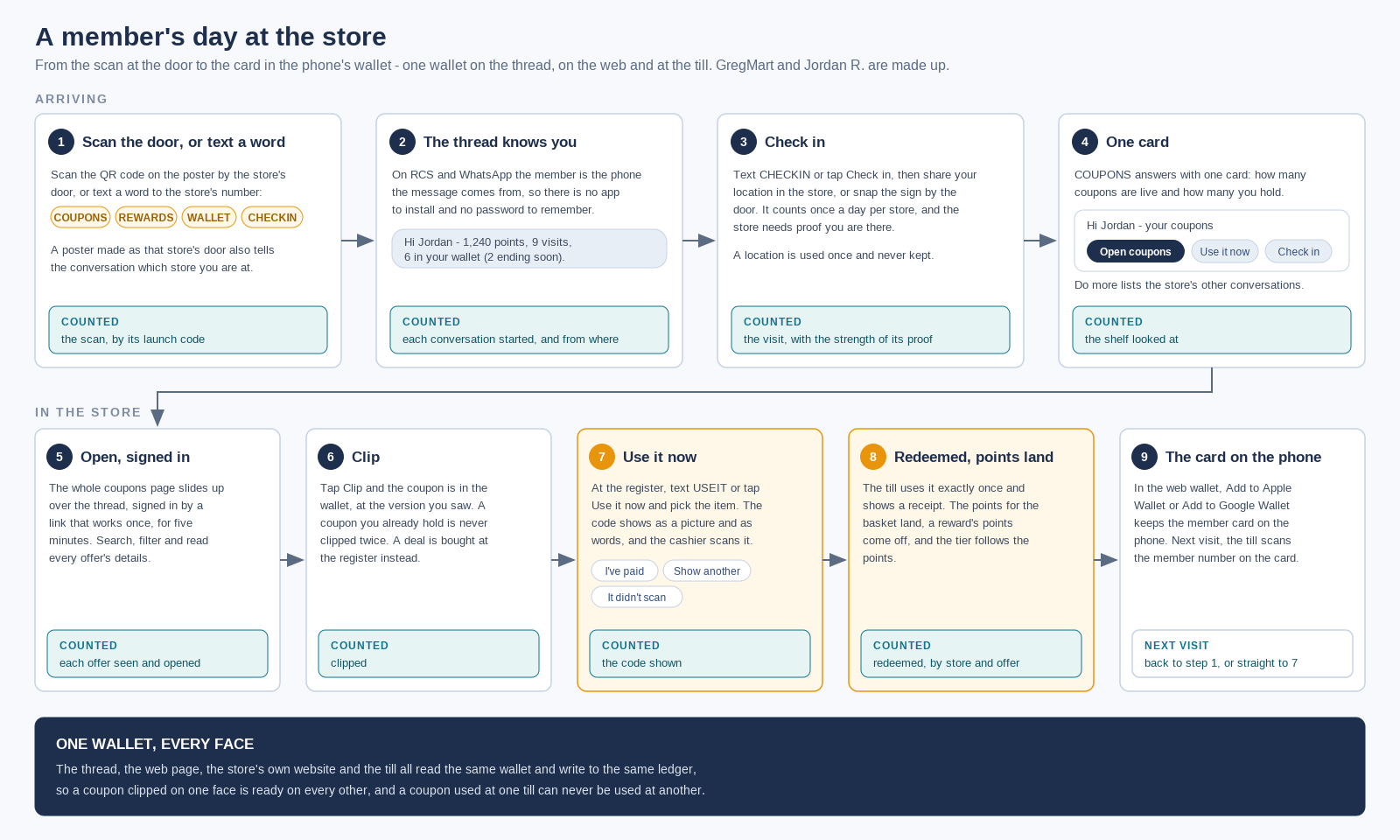
A shopper scans the poster at the door or texts a word, and the conversation knows them by the phone the message comes from. They check in, open the coupons card signed in, clip, show the code at the till and watch the points land, then keep the member card in their phone's wallet for the next visit. Every step is counted on the face where it happened, so the numbers show what shoppers looked at, clipped and used.
Read next: the handset cheat-sheet and Playbook: loyalty on the thread developer sign-in.
Redeem exactly once at the till
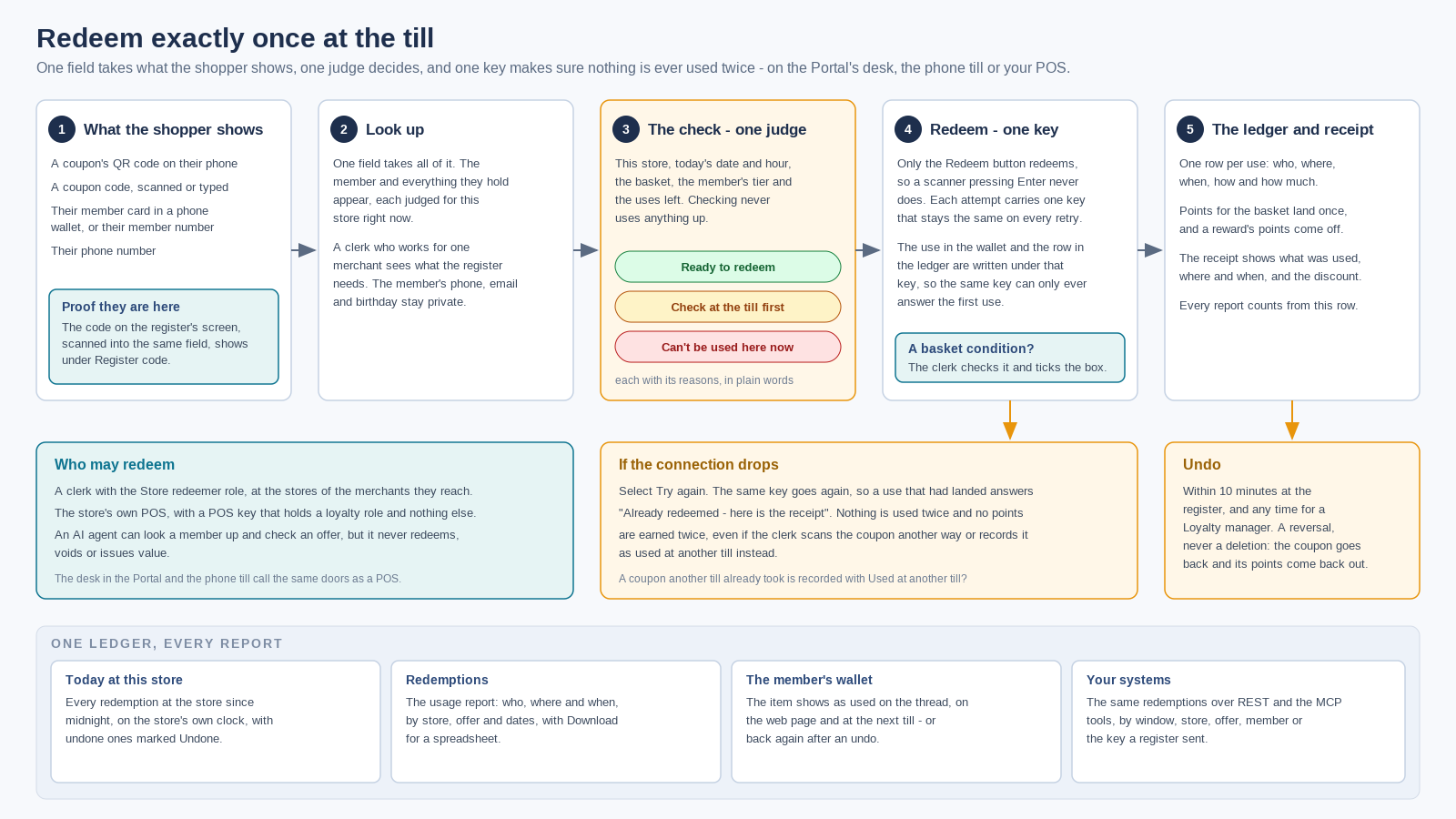
One field takes whatever the shopper shows, the judge decides whether it can be used here and now, and only the Redeem button uses it. Each attempt carries one key that stays the same across retries, so a dropped connection never uses a coupon twice, and an undo is recorded as a reversal rather than a deletion. A clerk with the redeemer role or the store's POS key can redeem; an AI agent can read and check but never redeems.
Read next: the merchant redemption guide and the POS integration guide.
Data in and out
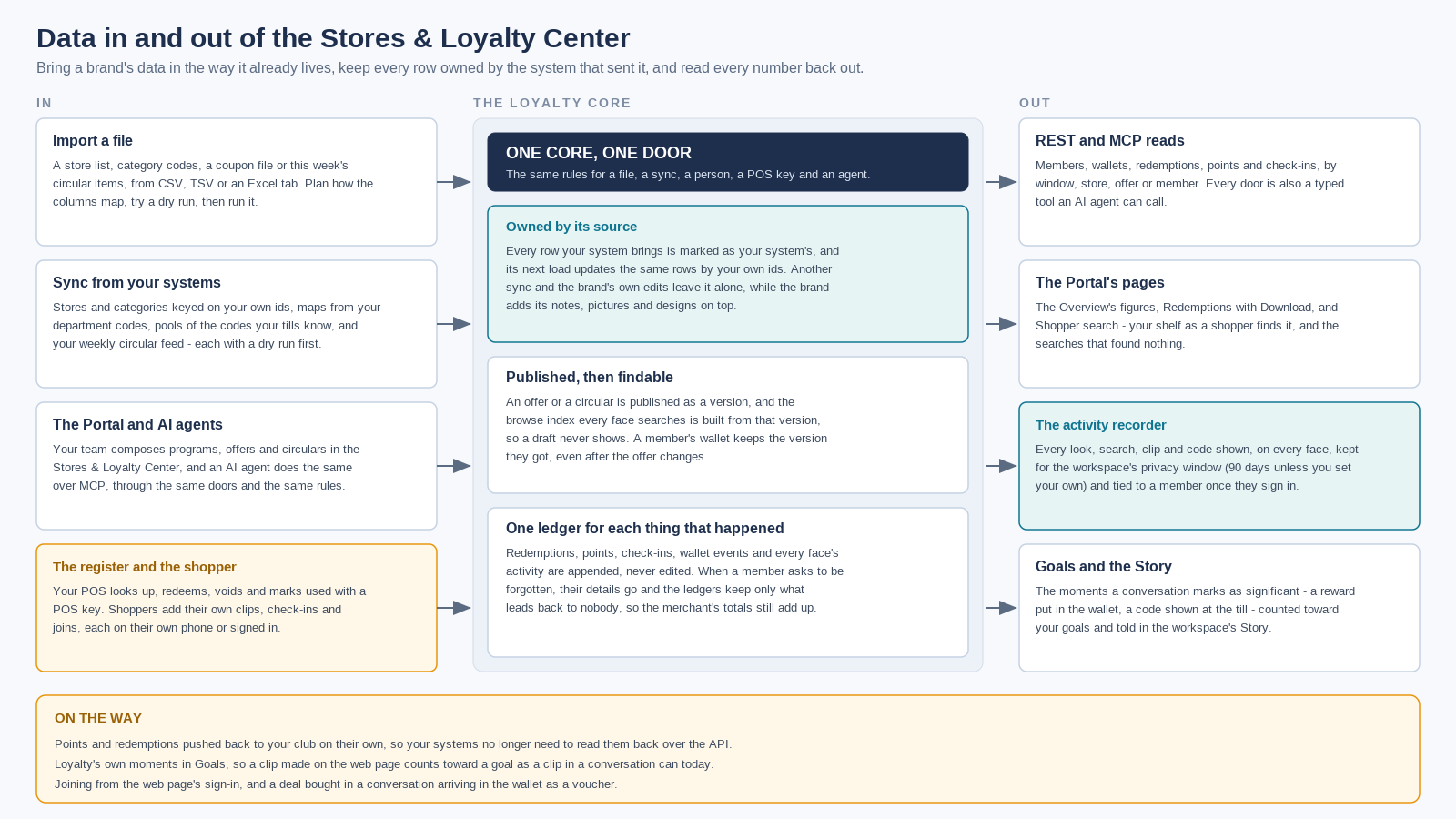
A brand brings its data in the way it already lives: a file, a sync from its own systems, its team and AI agents, its registers. Every row a source brings stays that source's, so the next load updates it and the brand's own notes and pictures sit on top. The numbers come back out through the API and the MCP tools, the Portal's pages, the activity recorder and, for the moments a conversation marks as significant, Goals. Every join, check-in, clip, redemption, void, deal and share now reaches the brand's own systems the moment it lands - the next picture. Pushing points back to a club on their own is still on the way.
Read next: circular feeds and import a file developer sign-in.
Your systems hear every act
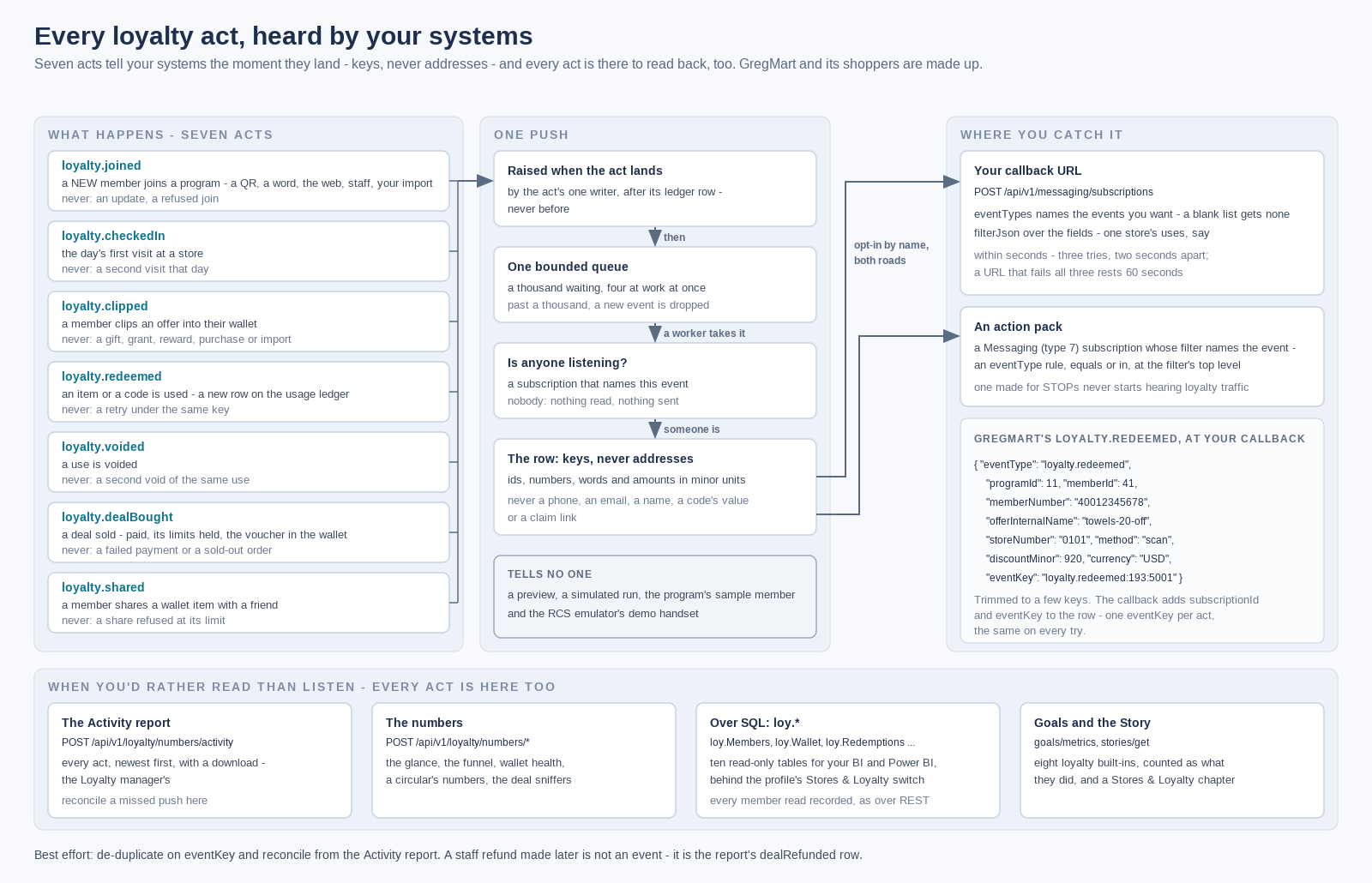
Seven acts tell a brand's systems the moment they land: a new member joins, the day's first visit at a store, a clip, a redemption,
a void, a deal sold and a share. Each is sent only after its row is on the ledger and only when something is listening, and it
carries keys and amounts - never a phone, an email or a name. A callback URL on a messaging subscription, or an action pack, hears
the events it names. Delivery is best effort, so a brand's systems de-duplicate on the event key and reconcile from the Activity
report, which holds every act anyway - as do the numbers, the loy.* tables over SQL, Goals and the Story.
Read next: Events out in the Loyalty API developer sign-in and the POS integration guide.
Who a shopper is on each face
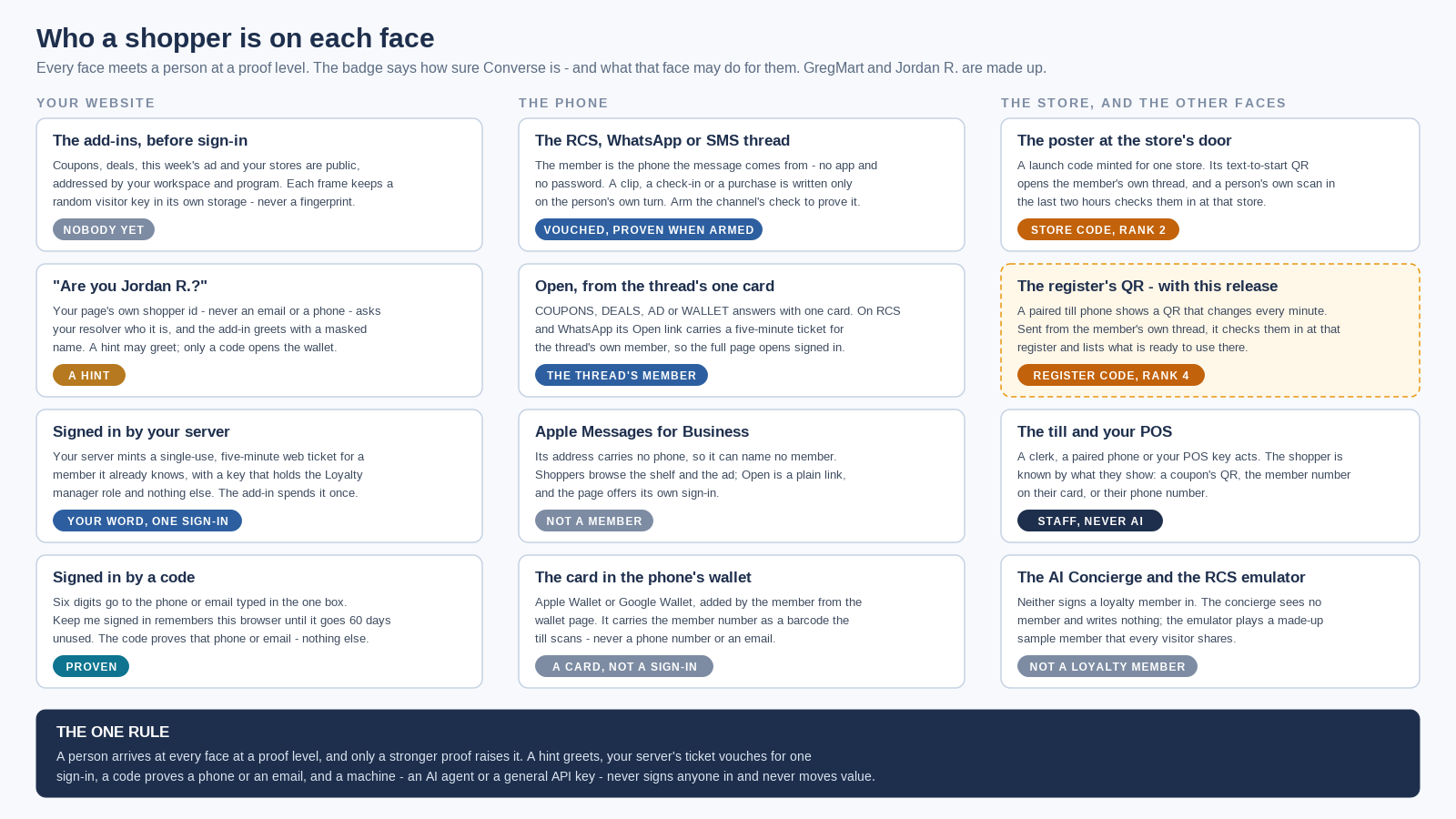
The same shopper meets the program on a brand's own website, on their phone and at the store, and each face knows them with its own level of proof. The add-ins on a web page know nobody until the shopper signs in - with the brand's own single-use ticket, a code typed back, or the thread's Open - and the thread knows them by the phone the message comes from. At the store, the door poster proves a store code and, with this release, the register's rotating code proves the register. Only a stronger proof raises a level, and a machine never vouches for anyone.
Read next: Stores & Loyalty on your website developer sign-in.
Hand-offs between the website and the phone
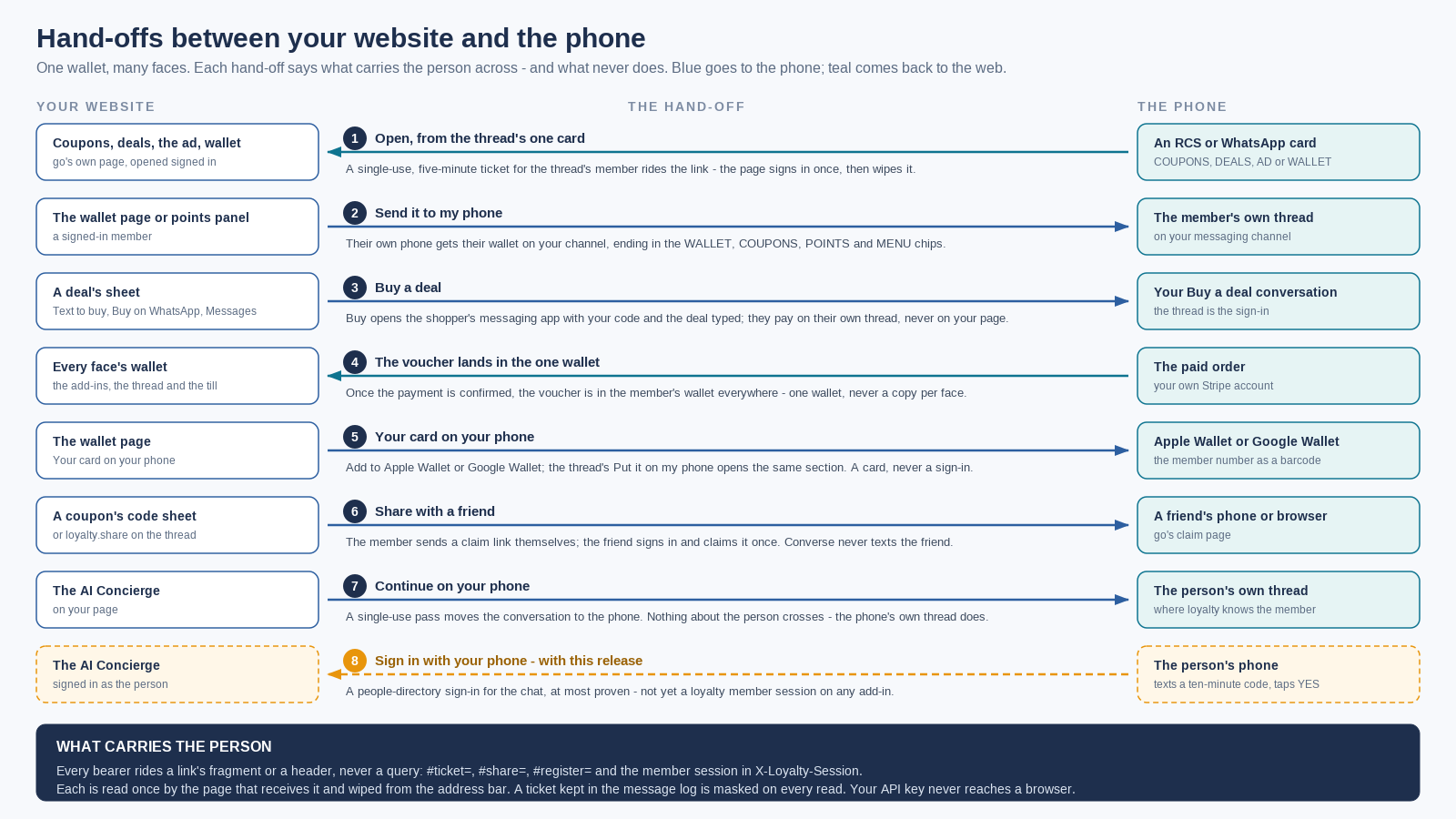
A shopper moves between the website and their phone without starting over. Open on the thread's card signs the page in once with a five-minute ticket; Send it to my phone puts the wallet on their own thread; Buy a deal opens their messaging app and they pay on their own thread; and a member can share a coupon with a friend, who claims it once. Every ticket and pass rides in a link's fragment or a header - never in a query - and is read once.
Read next: Stores & Loyalty on your website - the journeys developer sign-in.
At the store - the door, the register and the till
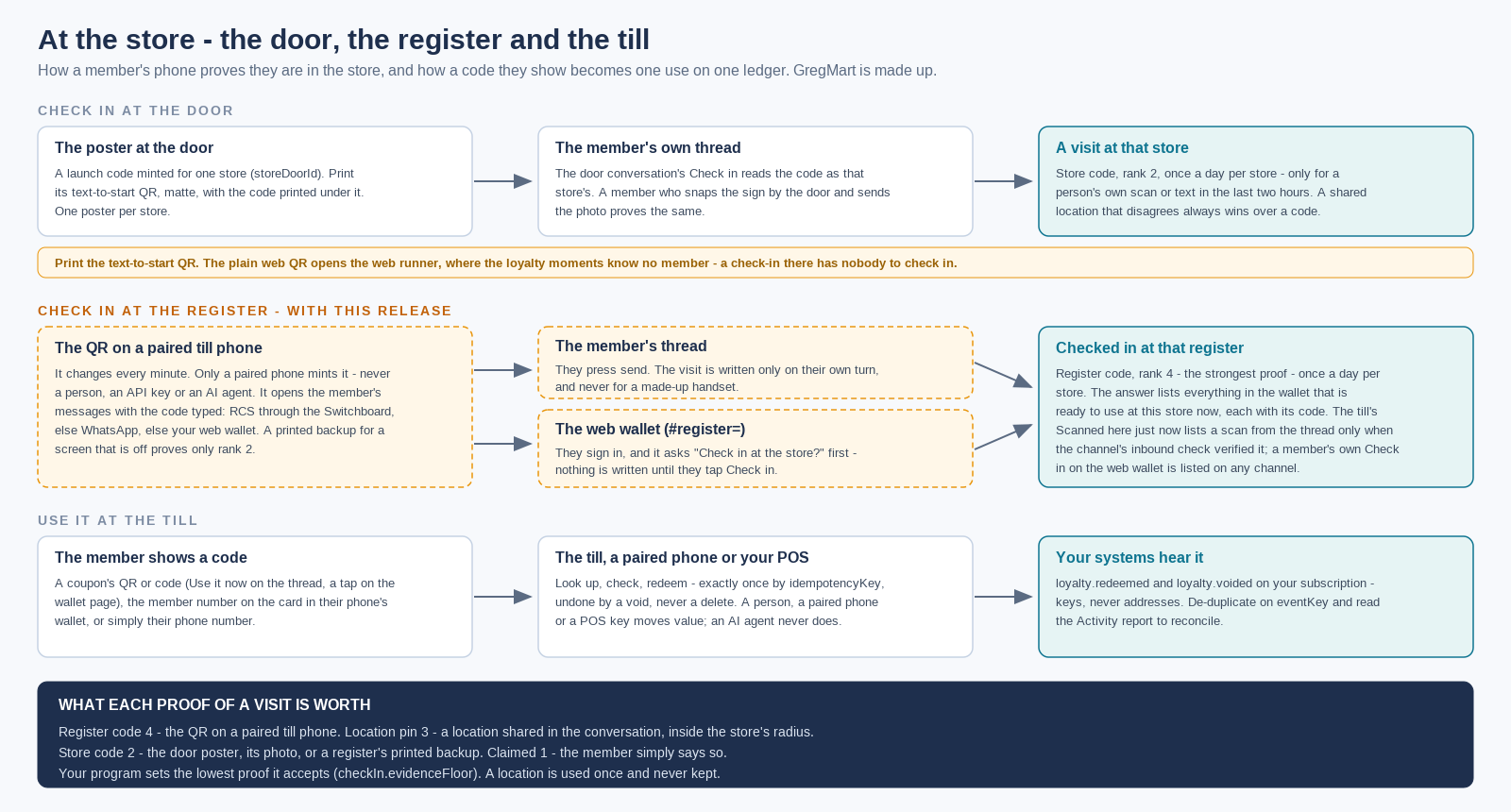
At the door, a poster's text-to-start QR opens the member's own thread and checks them in once a day at that store. At the register - with this release - a paired till phone shows a code that changes every minute and checks the member in at that register. At the till, the member shows a code, their member number or their phone, and the till, a paired phone or the brand's POS redeems it exactly once.
Read next: the merchant redemption guide and Stores & Loyalty on your website - at the store developer sign-in.
Everything on the phone, on one page
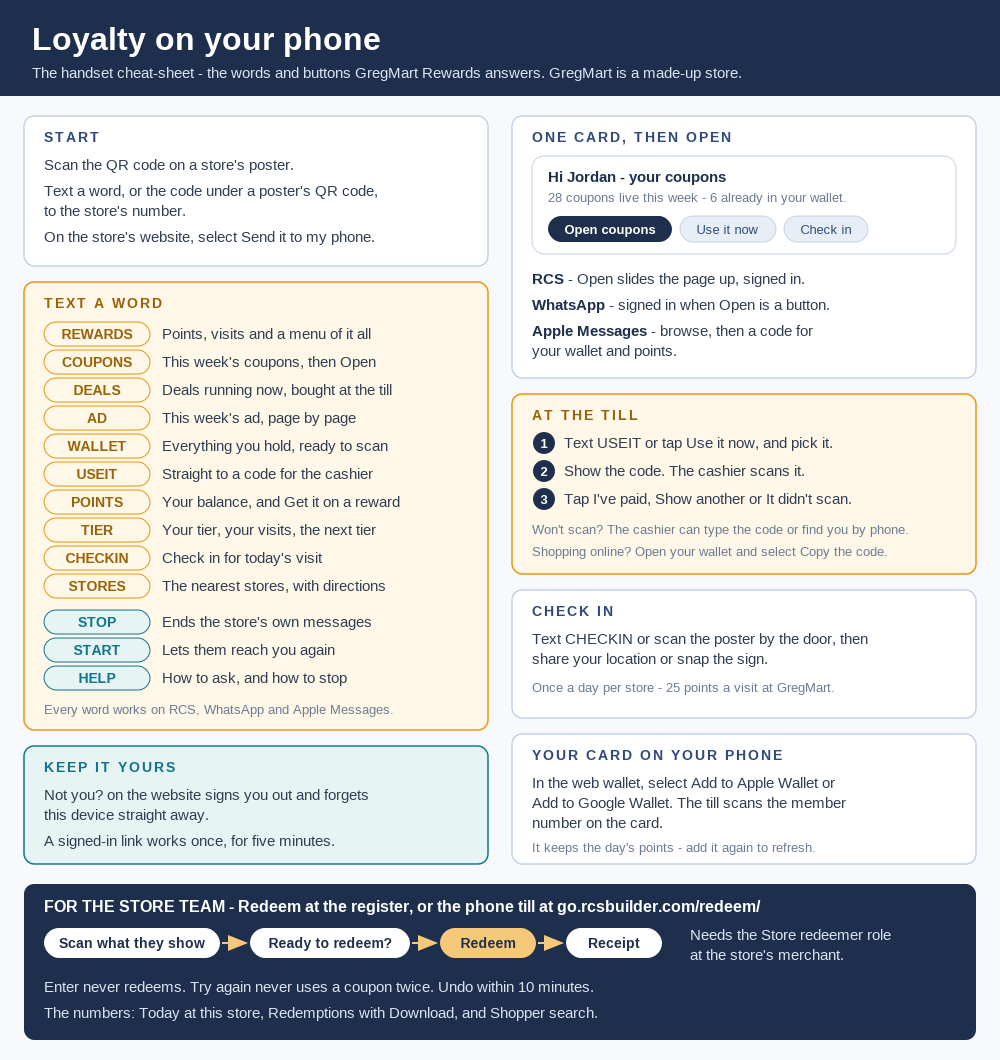
Everything a shopper does with the program on their phone fits on one card: how to start, the words to text, the one card and its Open, using a coupon at the till, checking in, the member card in the phone's wallet and keeping the account their own - with the store team's side of each beside it. Print it for the counter or share it with a store team before the posters go up. The words are the recommended set, so check your own program's with your Loyalty manager.
Read next: the handset cheat-sheet.